> For the complete documentation index, see [llms.txt](https://wiki.onfa.io/llms.txt). Markdown versions of documentation pages are available by appending `.md` to page URLs; this page is available as [Markdown](https://wiki.onfa.io/jp/woretto/to/zhuan-song-transfer.md).
# 転送 (Transfer)
ウォレット間の暗号通貨の変換に関する案内。
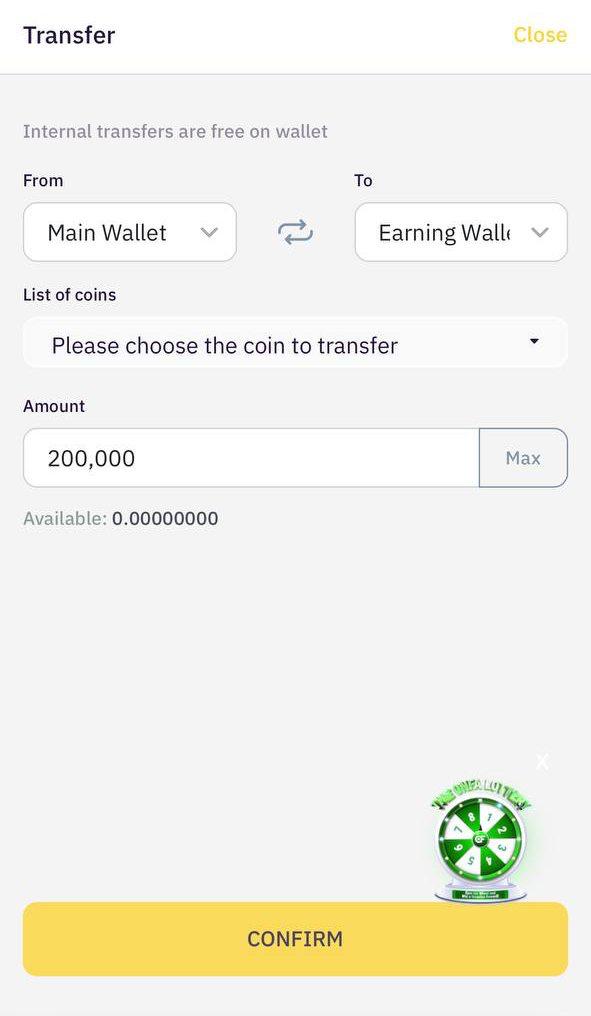
スワップ機能では、ONFA ForwardX**アカウント内のウォレット間で手数料なしで資金**を移動できます。対象は以下の通りです:
* メインウォレット
* アーニングウォレット
* アフィリエイトウォレット
### **1. 実行手順**
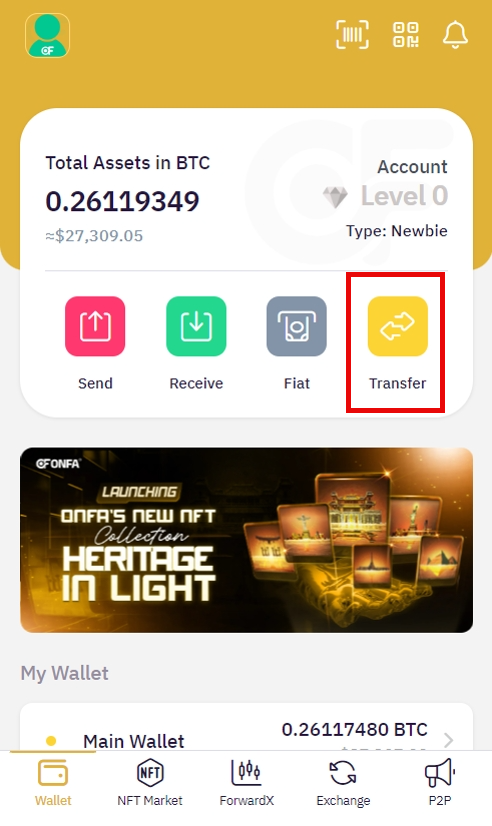
**手順1: 転送機能にアクセスします。**
* メインメニューから**「転送」**を選択します。
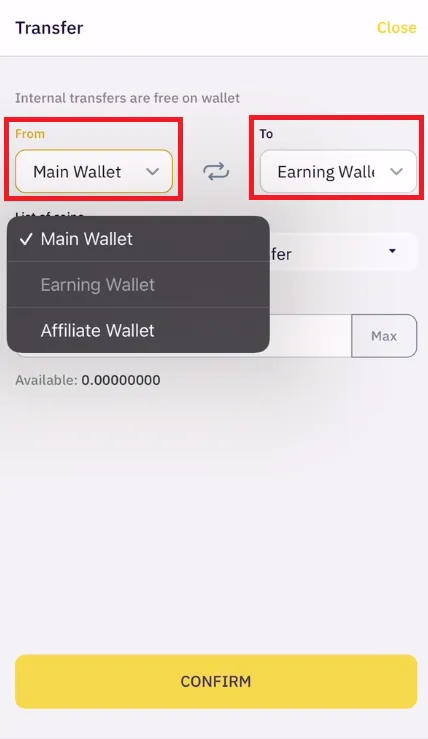
**手順2: 送金元のウォレットを選択します。**
* **「から」**ボックスをクリック します。
* 送金元として使用するウォレットの種類を選択してください:
* メインウォレット
* アーニングウォレット
* アフィリエイトウォレット
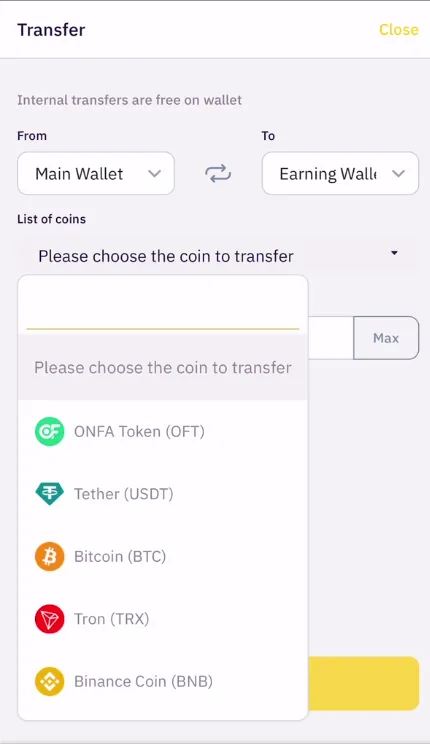
**手順3: コイン/トークンの種類を選択します。**
* 送金したい暗号通貨を選択してください(USDT、BTC、ETH、...)
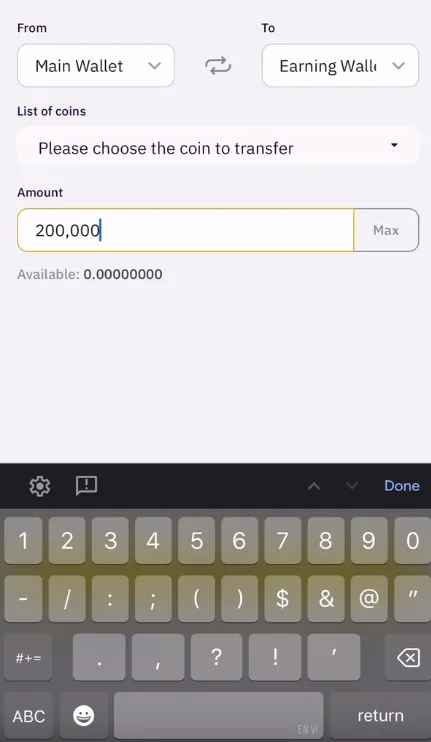
**手順4: 金額を入力します**
* 送金したい金額を入力してください
* または**「最大」**を押して、利用可能な残高全額を選択してください。
* システムは**「利用可能」**欄に現在の残高を表示します
**手順5: 取引を確認します**
* 情報を再確認してください:
* 送金元ウォレット(から)
* 送金先ウォレット(宛先)
* コインの種類
* 数量
* **「確認(Confirm)**」を押して完了します。
> **重要な注意事項**
>
> * 変換取引は **即時に完了します**
> * 確認後は取り消すことはできません。
> * 他のウォレットからリンク済みウォレットへの送金はできません。
---
# Agent Instructions
This documentation is published with GitBook. GitBook is the documentation platform designed so that both humans and AI agents can read, navigate, and reason over technical content effectively. Learn more at gitbook.com.
## Querying This Documentation
If you need additional information that is not directly available in this page, you can query the documentation by asking a question.
Perform an HTTP GET request on the following URL with the `ask` and `goal` query parameters:
```
GET https://wiki.onfa.io/jp/woretto/to/zhuan-song-transfer.md?ask=&goal=
```
`ask` is the immediate question: it should be specific, self-contained, and written in natural language.
`goal` is what the user is ultimately trying to achieve, the reason they need the answer. Sharing it helps GitBook give you a better, more relevant answer. A goal is most helpful when it describes the outcome the user wants rather than restating the question. For example, with `ask=how do I create an API token`, a goal like `automate deployments from our CI pipeline` lets GitBook tailor the answer to that use case.
The response will contain a direct answer to the question and relevant excerpts and sources from the documentation.
Use this mechanism when the answer is not explicitly present in the current page, you need clarification or additional context, or you want to retrieve related documentation sections.