> For the complete documentation index, see [llms.txt](https://wiki.onfa.io/llms.txt). Markdown versions of documentation pages are available by appending `.md` to page URLs; this page is available as [Markdown](https://wiki.onfa.io/sp/cartera/deposito-y-retiro/criptomonedas.md).
# Criptomonedas
Guía de Depósito/Retiro
#### **1. Instrucciones de retiro (Retirar)**
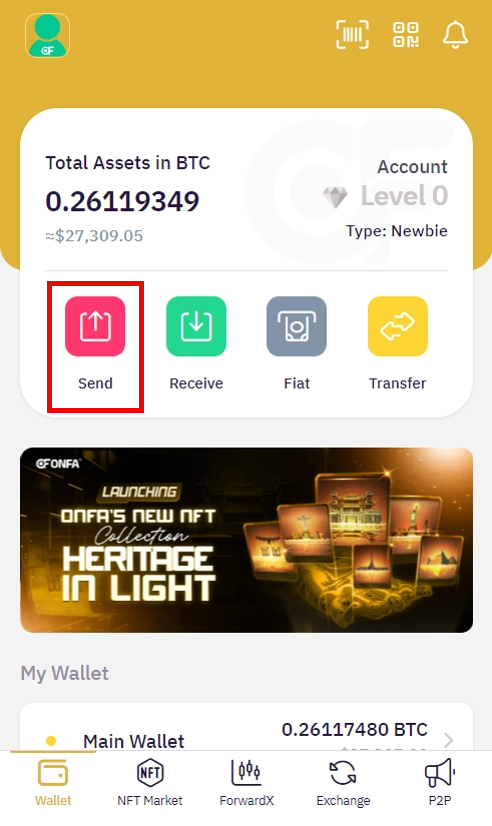
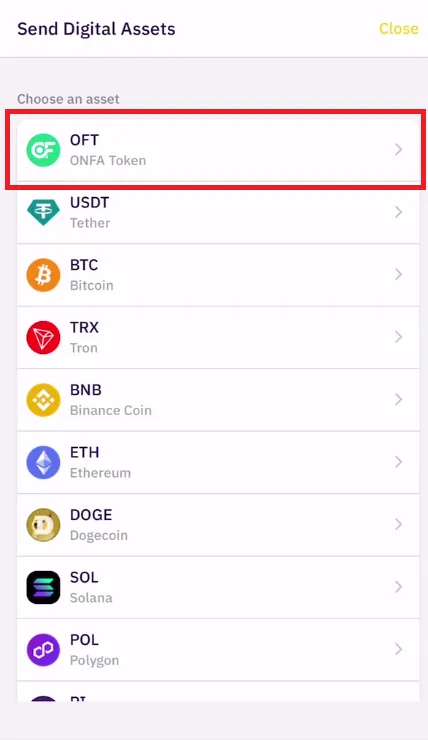
**Paso 1: Seleccione el activo a retirar**
* Presiona el **"Enviar"** en la interfaz de la billetera\\
* Seleccione el tipo de moneda/token de la lista compatible (USDT, BTC, ETH...)\\
**Paso 2: Configure la información de la transacción**
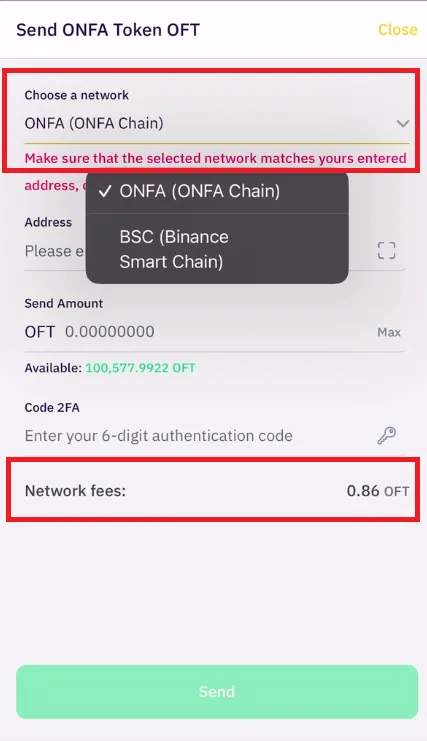
1. **Seleccione la red blockchain** apropiada desde el menú desplegable
* Nota: Cada red tiene su propia tarifa de gas que se muestra junto a ella. Las tarifas de gas están denominadas en OFT.\\
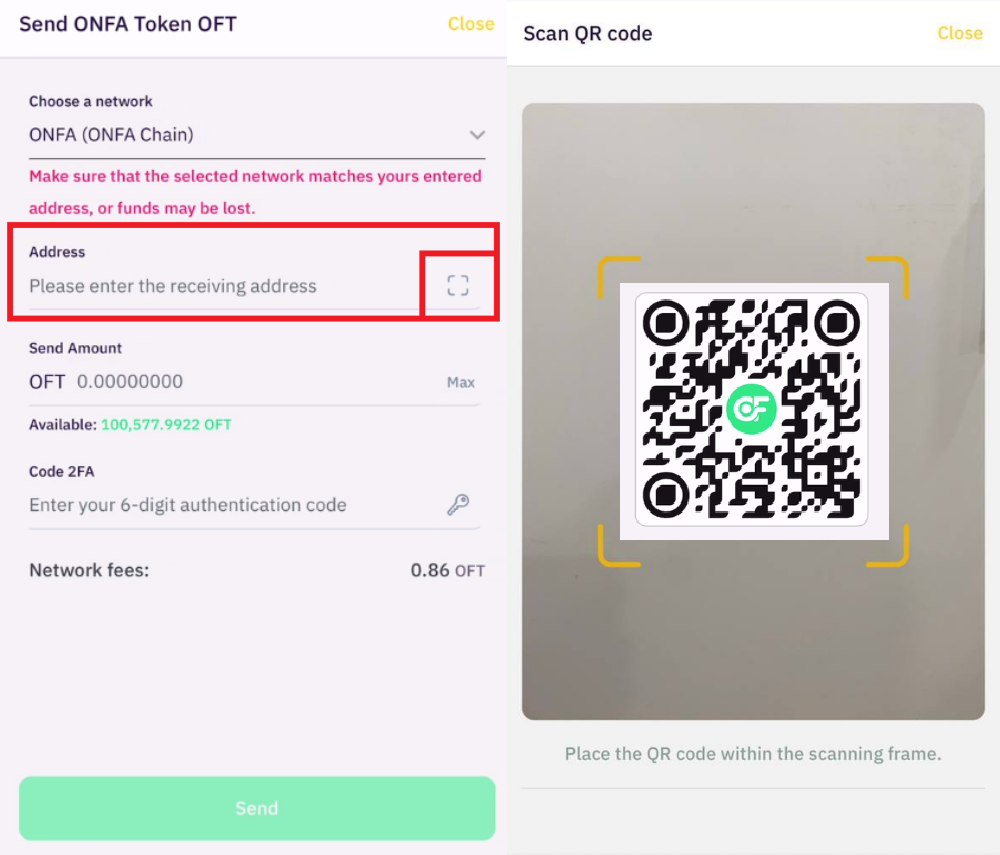
2. Introduzca con precisión **la dirección de la billetera del destinatario** o:
* Use el **escaneo de código QR** función (si está disponible)
> ⚠️ **Aviso de seguridad:**
>
> * Asegúrese de que la red seleccionada sea compatible con la billetera del destinatario.
> * Las transacciones que utilicen la red incorrecta, el tipo de activo incorrecto o una dirección incorrecta resultarán en la pérdida permanente de los activos.
**Paso 3: Introduzca el monto**
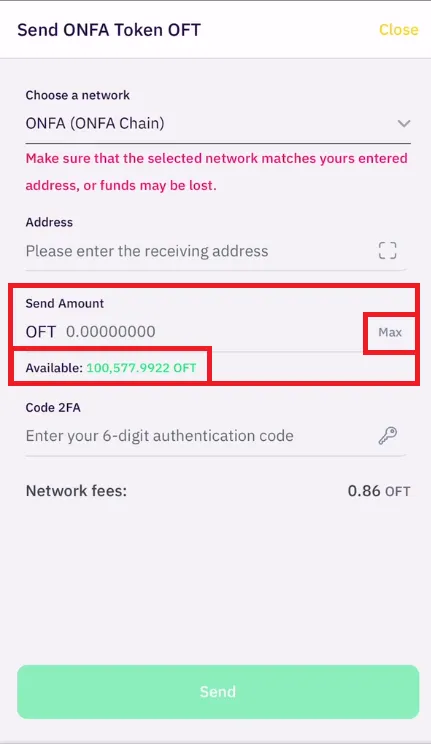
* Ingrese el monto a retirar en el **campo "Cantidad a enviar"**
* Referencia:
* **Saldo disponible** se muestra abajo.
* El **"Máx"** para usar el saldo completo.\\
**Paso 4: Verificación de seguridad**
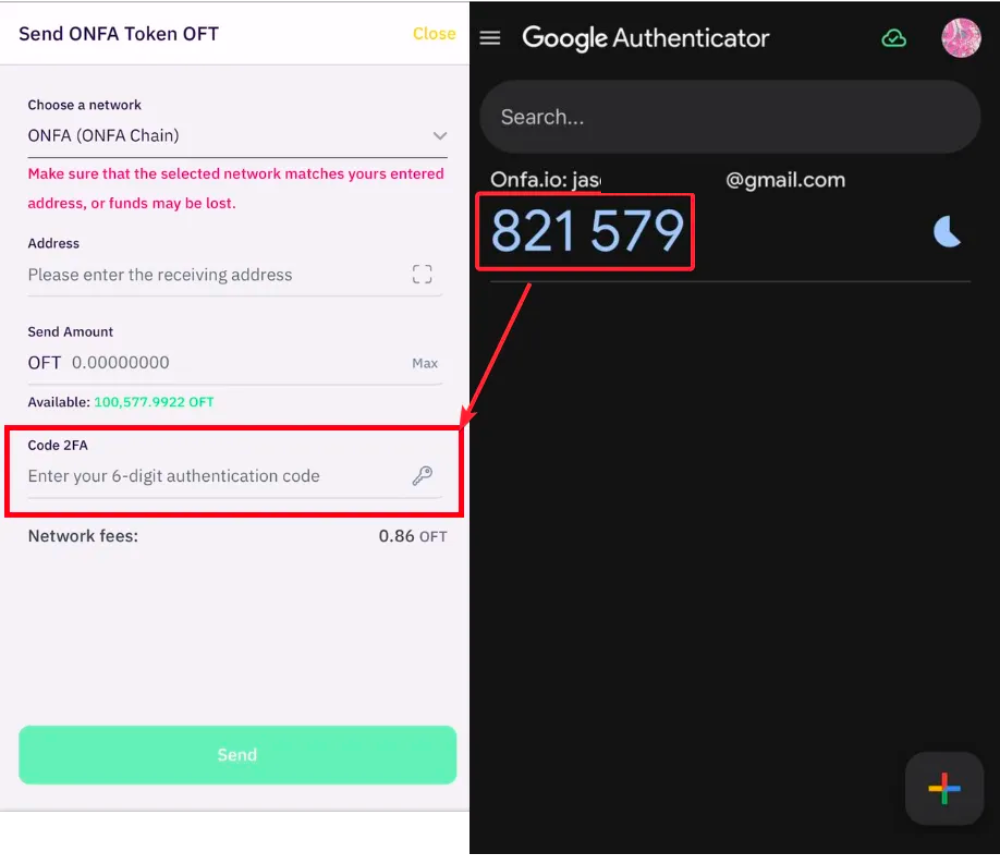
* Abra la aplicación autenticadora 2FA (Google Authenticator/Authy)
* Ingrese el código de 6 dígitos en el **campo "Código 2FA"**
**Paso 5: Complete la transacción**
* Revise cuidadosamente la información.
* Presiona **"Confirmar envío"**
* La transacción se procesará y se actualizará en el sistema
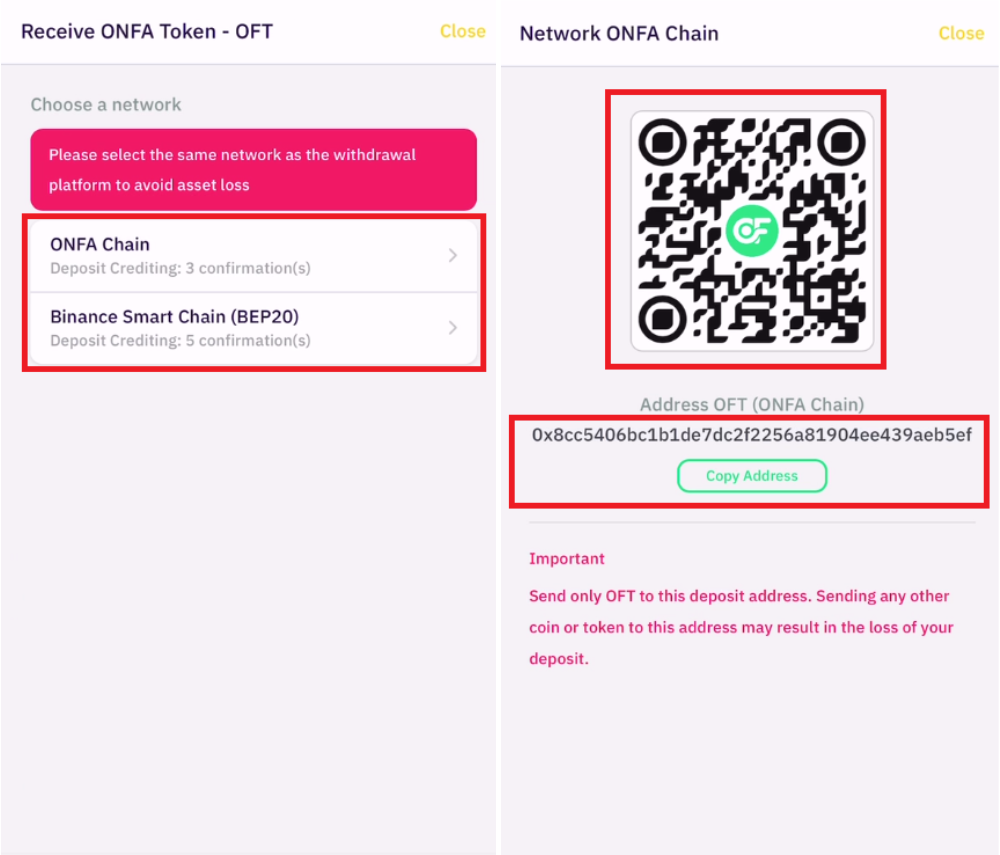
#### **2. Instrucciones de depósito (Depositar)**
**Paso 1: Seleccione el activo a depositar**
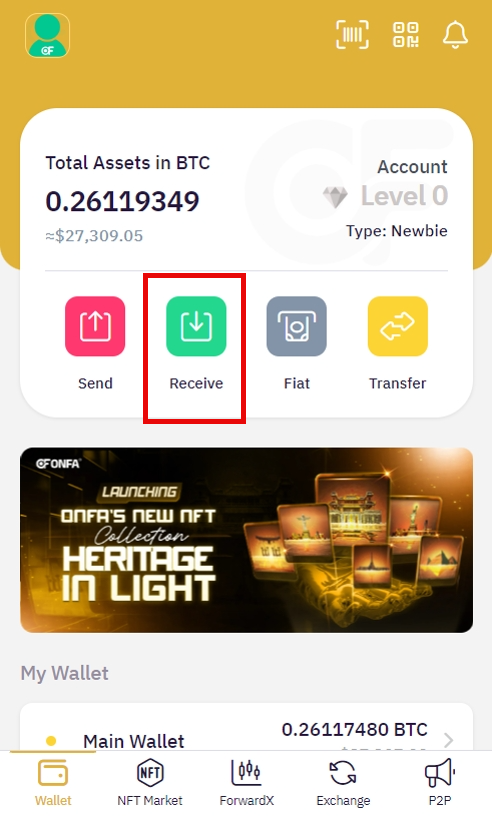
* Presiona el **"Recibir"** en la interfaz de la billetera\\
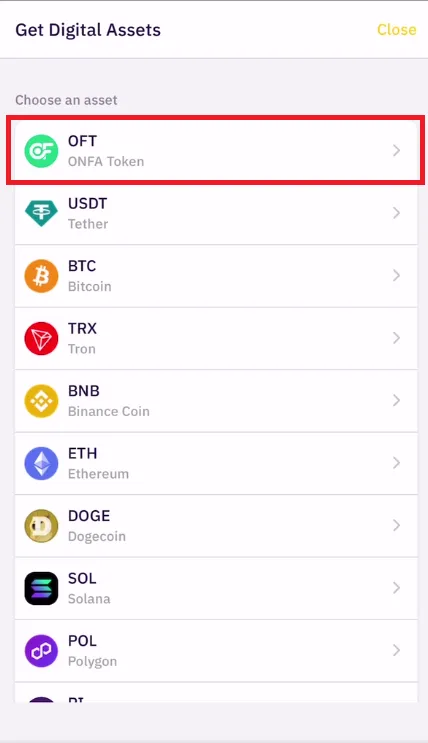
* Seleccione la moneda/token de la lista compatible\\
**Paso 2: Configure la información de recepción**
1. **Seleccione la red** correspondiente de la lista.
2. El sistema mostrará:
* Su dirección de billetera para depósito.
* El código QR correspondiente.
**Paso 3: Ejecute el depósito.**
* Copie la dirección o escanee el código QR para transferir fondos desde otra billetera/plataforma.
* Verifique cuidadosamente la red seleccionada al realizar la transacción.
> 🔔 **Notas importantes:**
>
> * Solo se aceptan transacciones desde la misma red seleccionada.
> * El saldo se actualizará automáticamente a **Billetera** después de que el sistema blockchain confirme.
---
# Agent Instructions
This documentation is published with GitBook. GitBook is the documentation platform designed so that both humans and AI agents can read, navigate, and reason over technical content effectively. Learn more at gitbook.com.
## Querying This Documentation
If you need additional information that is not directly available in this page, you can query the documentation by asking a question.
Perform an HTTP GET request on the following URL with the `ask` and `goal` query parameters:
```
GET https://wiki.onfa.io/sp/cartera/deposito-y-retiro/criptomonedas.md?ask=&goal=
```
`ask` is the immediate question: it should be specific, self-contained, and written in natural language.
`goal` is what the user is ultimately trying to achieve, the reason they need the answer. Sharing it helps GitBook give you a better, more relevant answer. A goal is most helpful when it describes the outcome the user wants rather than restating the question. For example, with `ask=how do I create an API token`, a goal like `automate deployments from our CI pipeline` lets GitBook tailor the answer to that use case.
The response will contain a direct answer to the question and relevant excerpts and sources from the documentation.
Use this mechanism when the answer is not explicitly present in the current page, you need clarification or additional context, or you want to retrieve related documentation sections.